
A great profile picture can make a big difference in how people perceive you online. Whether you're building a professional presence on LinkedIn, growing a social media account, or simply looking for a fresh avatar, having a high-quality profile photo helps you stand out.
But getting a professional photo usually takes time, equipment, and sometimes an expensive photoshoot. That's where PFPMaker comes in.
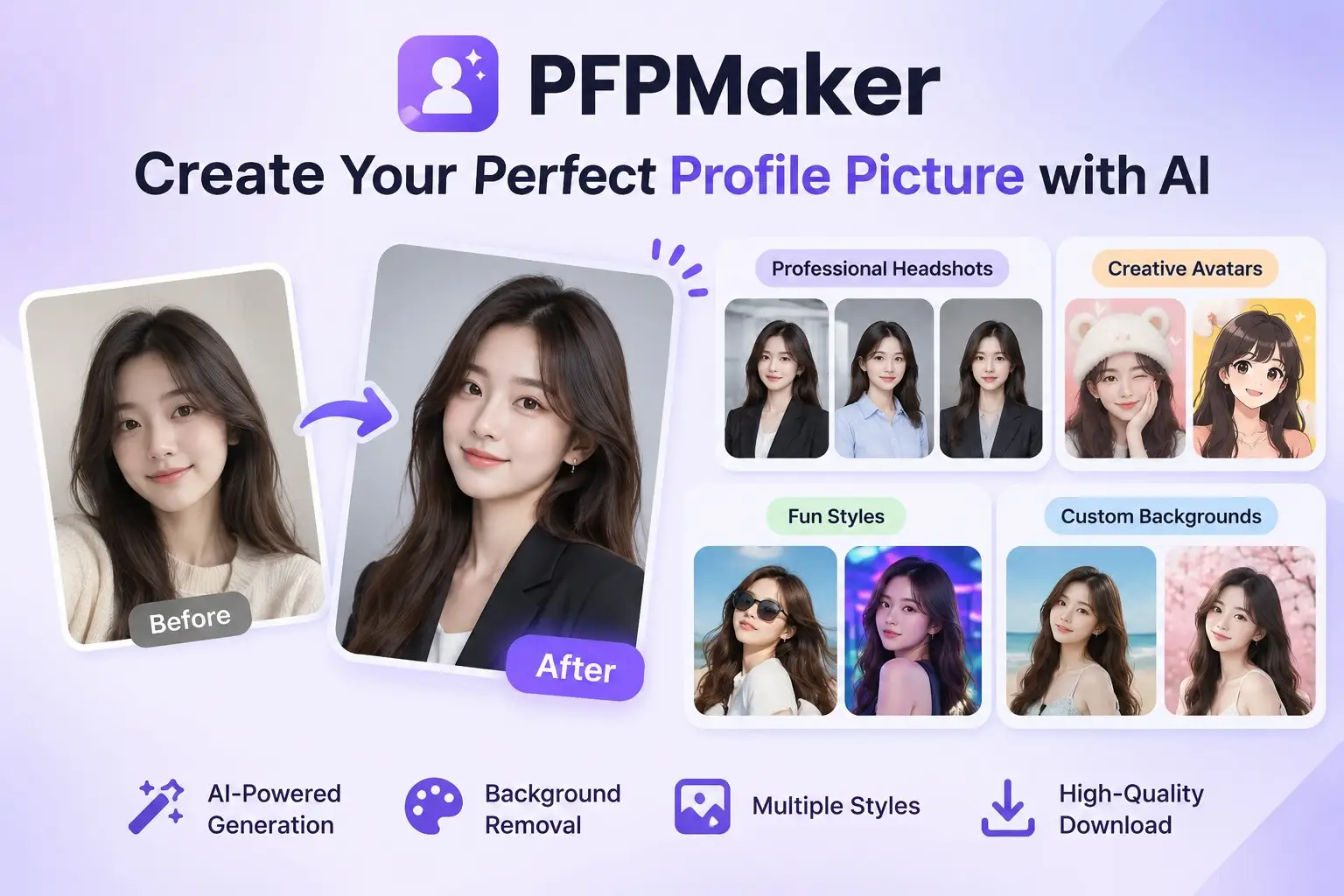
PFPMaker is an online profile picture maker that uses AI to help you create professional headshots, creative avatars, and personalized profile pictures from your existing photos. Instead of spending hours editing images, you can upload a selfie and explore different styles, backgrounds, and designs.
In this review, we'll look at what PFPMaker offers, its main features, and how you can use it to create a better profile picture.
What Is PFPMaker?
PFPMaker is an AI-powered profile picture maker and photo editing platform designed to help users create attractive profile photos quickly.
The platform offers several tools for transforming ordinary selfies into professional-looking portraits or creative profile pictures. You can remove backgrounds, change outfits and environments, apply visual effects, and generate AI-powered headshots.
PFPMaker is suitable for different types of users, including:
- Professionals who need better LinkedIn profile pictures.
- Content creators who want recognizable social media avatars.
- Freelancers and entrepreneurs building a personal brand.
- Gamers looking for creative profile pictures.
- Anyone who wants to refresh their online appearance.
One useful thing about PFPMaker is that it combines traditional photo editing tools with more advanced AI-powered features.
Key Features of PFPMaker
1. AI Profile Picture Generator
One of PFPMaker's main features is its AI profile picture generator.
You can upload a selfie and choose from different styles to create new profile pictures. These styles cover aesthetics, fashion, dating, lifestyle, and creative looks.
Rather than using a completely random AI-generated face, the tool starts with your own photo and attempts to preserve your appearance while changing the overall presentation.
This makes it useful for people who want something more interesting than a standard selfie without losing their recognizable identity.
2. Professional AI Headshots
Need a professional photo for LinkedIn, your resume, or a business profile?
PFPMaker also offers an AI headshot generator. You can start with a selfie and explore different professional outfits, poses, and backgrounds.
It's a convenient option if you don't have time to arrange a traditional photoshoot but still want a more polished business portrait.
3. Free Background Remover
PFPMaker also provides a classic profile picture editor with background removal capabilities.
You can upload an image, remove its original background, and replace it with something more suitable.
Available editing options include:
- Creative backgrounds
- Gradient backgrounds
- Solid color backgrounds
- Photo backgrounds
- Borders and frames
- Custom text
This is especially useful when you already have a photo you like but want to improve its appearance.
4. AI Photo Editing Tools
Beyond profile picture generation, PFPMaker offers a collection of AI-powered editing tools.
Depending on the tool, you can:
- Change clothes and hairstyles.
- Adjust makeup and facial appearance.
- Change the background or environment.
- Add or remove accessories.
- Improve skin appearance.
- Apply cartoon and anime styles.
- Add creative effects to portraits.
These features make PFPMaker more than just a simple avatar generator. It can also serve as a convenient portrait editing studio.
How to Use PFPMaker
Getting started with PFPMaker is relatively straightforward. Here's how the process works:
Step 1: Visit PFPMaker
Open PFPMaker in your browser and choose the tool that matches your needs.
Step 2: Upload Your Photo
Select a selfie or portrait from your device. For better results, use a clear, well-lit photo where your face is fully visible.
Step 3: Choose a Style or Editing Option
Explore the available profile picture styles, professional headshots, backgrounds, and other editing features.
Step 4: Generate and Customize
Let the AI process your photo. Depending on the tool, you can experiment with different looks and make adjustments.
Step 5: Download Your Profile Picture
Once you're happy with the result, download your image and use it on your preferred platform.
Is PFPMaker Free?
PFPMaker offers both free and premium features.
Its classic profile picture editor is free to use and includes tools such as background removal, background customization, borders, and text.
However, some advanced AI features, including AI headshots and AI-generated profile pictures, require credits or premium access.
If you only need to remove a background or make a few simple edits, the free tools may be enough. If you want more advanced AI-generated portraits, you'll need to explore the paid options.
Check the official website for the latest feature availability and pricing.
Who Should Use PFPMaker?
PFPMaker can be useful in several situations.
For professionals: Create polished headshots for LinkedIn, resumes, business profiles, and email signatures.
For social media users: Make more distinctive profile pictures for Instagram, TikTok, YouTube, and other platforms.
For content creators: Experiment with different visual styles to build a consistent online identity.
For casual users: Refresh an old profile picture, try a new aesthetic, or create a fun avatar without learning complicated photo editing software.
Final Thoughts
PFPMaker is a useful online tool for anyone who wants to improve their profile pictures without going through a traditional photoshoot.
Its combination of AI headshot generation, creative profile picture styles, background removal, and photo editing features makes it a versatile option for both professional and personal use.
The free classic editor is particularly useful for quick edits, while the premium AI tools offer more possibilities for users who want to transform their existing photos into something new.
If you're looking for an easy way to create a more polished online presence, PFPMaker is worth exploring.
Visit PFPMaker and start creating your next profile picture.
Frequently Asked Questions
What is PFPMaker used for?
PFPMaker is an online tool for creating and editing profile pictures. It offers AI-generated headshots, creative avatars, background removal, and various photo editing features.
Is PFPMaker free?
Yes. PFPMaker offers a free classic editor with background removal and customization tools. Some advanced AI features require payment or credits.
Can I use PFPMaker for LinkedIn?
Yes. You can use its AI headshot generator to create professional-looking portraits suitable for LinkedIn, resumes, and business profiles.
Does PFPMaker remove photo backgrounds?
Yes. PFPMaker includes a background remover that lets you remove the original background and replace it with a solid color, gradient, or creative background.
Do I need to install PFPMaker?
No. PFPMaker is available online, so you can access its tools directly through a web browser.